Artistic Paint Brush Vector Bundle: A Practical Guide to Expressive Design Assets
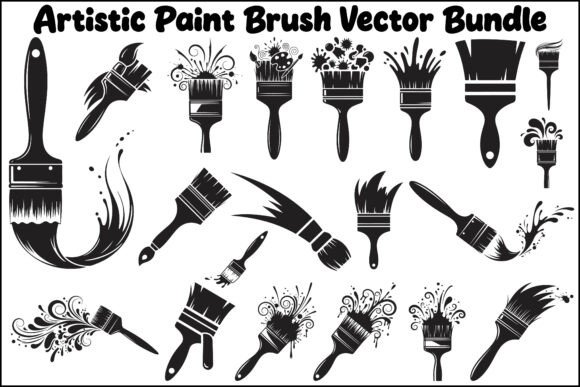
Creating digital artwork that feels organic and handcrafted often presents a unique challenge. Designers frequently struggle to bridge the gap between clean, mathematical vector lines and the chaotic, emotional texture of traditional media. The Artistic Paint Brush Vector Bundle addresses this specific friction point by providing pre-made, scalable brush strokes that retain the imperfections of real paint. For creators aged 20 to 50, ranging from freelance logo designers to small business owners managing their own branding, this collection offers a shortcut to authenticity without sacrificing professional resolution.
However, owning high-quality assets is only half the battle. Many designers download comprehensive packs like this Bold and Creative Artistic Paint Brush Vector Bundle but fail to integrate them effectively. They treat vectors as static clip art rather than dynamic design elements. Understanding how to leverage these files correctly can mean the difference between a generic template look and a bespoke, premium aesthetic. This guide focuses on avoiding common pitfalls and maximizing the utility of the 120 included design files across various formats.
Misunderstanding File Formats and Scalability
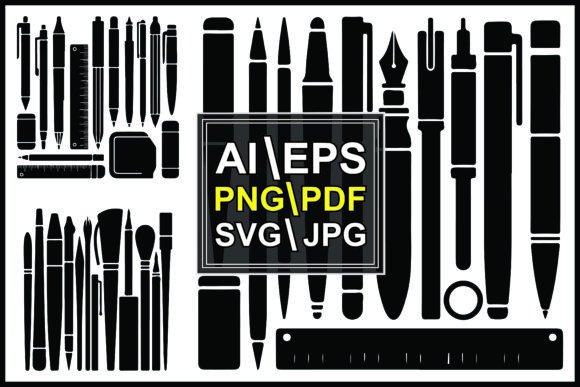
One of the most frequent mistakes occurs when users select the wrong file format for their specific workflow. This bundle includes 20 files each in AI, EPS, SVG, PDF, PNG, and JPG formats. A common error is defaulting to PNG or JPG files because they are universally compatible and easy to drag into social media templates. While convenient, rasterized images have fixed resolutions. If you use a 300 DPI PNG for a web banner and later decide to print that same design on a large-format poster, the edges will pixelate, destroying the illusion of a painted stroke.
To maintain true scalability, prioritize the vector formats. Use AI or EPS files when working within Adobe Illustrator or Affinity Designer. These formats allow you to scale a splash or stroke to the size of a billboard without losing edge definition. For web-based projects or Cricut/Silhouette crafting, the SVG files are superior because they remain crisp at any zoom level and keep file sizes low. Reserve the PNG and JPG versions strictly for mockups, quick proofs, or platforms that do not support vector embedding. By matching the format to the output medium, you preserve the professional integrity of the artwork.
The Trap of Over-Stylization and Visual Clutter
Expressive brush shapes with splashes and strokes are powerful, but they can easily overwhelm a composition. Beginners and enthusiastic hobbyists often fall into the trap of using too many artistic elements simultaneously. When designing logos or branding materials, applying multiple complex brush vectors can reduce legibility and make the brand identity feel messy rather than creative. Remember that negative space is just as important as the painted element.
A better approach is to treat these brushes as accents rather than foundations. For example, if you are designing a t-shirt graphic, use one bold, central stroke as the primary visual anchor and pair it with clean, sans-serif typography. Let the texture of the brush provide the interest so the type doesn't have to compete. In wall art or poster design, establish a clear hierarchy. If the background features a heavy paint texture, ensure the foreground text sits on a solid color block or has sufficient contrast. Restraint typically yields more sophisticated results than maximalism.
Ignoring Editability and Customization
Another oversight involves treating the vectors as unchangeable final products. Because this is an Artistic Paint Brush Vector Bundle, every curve and splatter is defined by mathematical paths. Failing to edit these paths leaves your work looking identical to everyone else who purchased the same pack. This lack of customization is particularly detrimental for commercial branding where uniqueness is paramount.
Open the AI or EPS files and modify the anchor points. Stretch a horizontal stroke to fit a wide header, or combine two separate splashes to create a custom frame. Adjust the opacity or apply blending modes to integrate the brush strokes with photography or colored backgrounds seamlessly. You can also recolor the vectors to match specific brand palettes instantly. Taking five minutes to tweak a shape ensures the asset serves your specific vision rather than dictating it.
Evaluating Quality Before Purchase or Use
Before committing to any digital asset, or before starting a major project with this bundle, verify technical suitability. Not all "paint" vectors are created equal. Some are merely auto-traced raster images converted to vectors, resulting in jagged edges and excessive anchor points that slow down software performance. Genuine vector brushes should have smooth curves and logical path structures.
Check the following before integrating these assets into client work:
- Anchor Point Efficiency: Zoom in closely on the curves. Smooth, professional vectors use fewer points to define shapes. Jagged or overly complex paths indicate poor tracing quality.
- Licensing Clarity: Confirm whether the license covers commercial use for merchandise like t-shirts and wall art. Personal use licenses often exclude products intended for resale.
- Color Mode Compatibility: Verify if the source files are CMYK (for print) or RGB (for screen). Converting between color spaces can shift colors unexpectedly, especially with vibrant artistic hues.
- Layer Organization: Well-structured files have grouped layers and descriptive names. Disorganized files waste time and increase the risk of accidental edits.
Practical Applications Across Different Media
Versatility is the primary value proposition of having 120 high-quality design files. However, application techniques vary significantly between digital and physical outputs. For digital artwork and social media, the transparency of PNG and SVG files allows for non-destructive layering over photos or gradients. This is ideal for bloggers and marketers creating engaging thumbnails or ad creatives.
For print projects like packaging or apparel, consider the limitations of the printing process. Screen printing requires color separation; highly detailed, multi-colored brush splashes may need to be simplified or converted to halftones. Direct-to-garment (DTG) printing handles full-color complexity better but requires high-resolution source files. Always consult with your print provider regarding file specifications. Using the correct vector source file gives the printer the flexibility to adjust ink density and trapping, ensuring the final product matches your screen proof.
Streamlining Workflow for Professionals
Efficiency matters as much as aesthetics for freelancers and agency designers. Instead of searching through folders for individual files, organize the Artistic Paint Brush Vector Bundle immediately upon download. Create a dedicated library or symbol set within your design software. Categorize strokes by style—splashes, dry brush, ink blots, or geometric paints. This preparation reduces friction during active design sessions.
Additionally, create master templates for recurring project types. If you frequently design event posters, build a base layout utilizing these brush vectors as placeholder textures. When a new project arrives, you can swap content while maintaining a consistent stylistic framework. This systematic approach transforms a simple asset pack into a robust productivity tool.
Making Informed Decisions for Long-Term Value
Ultimately, the decision to utilize this Bold and Creative Artistic Paint Brush Vector Bundle should stem from a genuine need for expressive texture in your workflow. Avoid purchasing based solely on the volume of files; focus instead on whether the specific aesthetic aligns with your portfolio or brand direction. High-quality, scalable assets are investments in your creative capability, but only if applied with intention and technical understanding.
By respecting file formats, exercising compositional restraint, customizing paths, and verifying technical specs, you elevate these resources from mere decorations to essential components of professional design. Whether you are crafting a logo, designing merchandise, or enhancing digital content, thoughtful application ensures that the human touch of paint translates perfectly into the precision of vector graphics.