Artist Paint Palette Illustration: Selecting the Right Vector Assets for Creative Projects
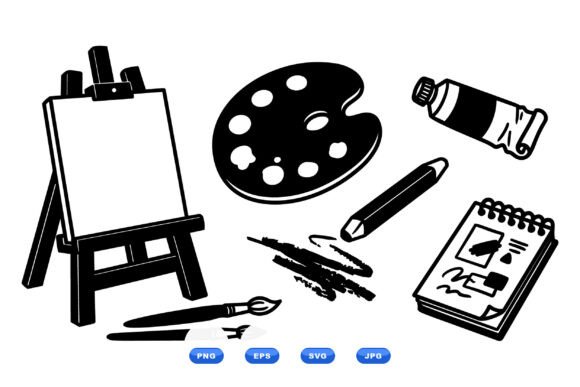
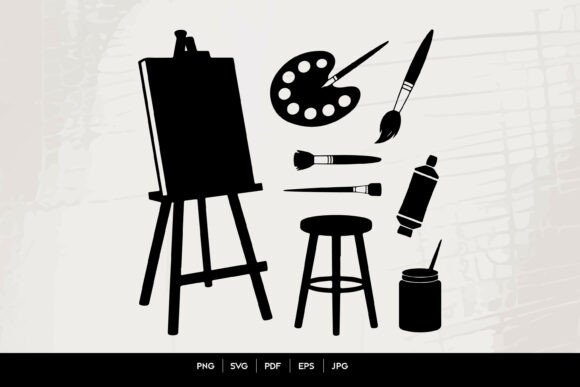
An Artist Paint Palette Illustration serves as a universal visual shorthand for creativity, artistry, and color theory. Whether you are designing a website for an art supply store, creating educational materials for a painting workshop, or branding a freelance creative portfolio, this specific imagery communicates intent instantly. However, the difference between a professional design and an amateur layout often lies not in the concept itself, but in the technical execution of the asset. Many creators, marketers, and small business owners underestimate the nuances of digital vector art, leading to wasted time, budget overruns, and final products that look pixelated or disjointed.
Understanding what makes a high-quality paint palette vector essential is the first step toward better design outcomes. A true illustration in this category should offer more than just a generic shape; it should provide editable layers, harmonious color grouping, and scalable geometry. When sourced correctly, these assets allow for infinite customization without quality loss. When chosen poorly, they become rigid clip-art that limits your creative freedom and signals a lack of attention to detail to your audience.
Common Pitfalls When Sourcing Creative Art Vectors
The most frequent mistake designers and entrepreneurs make is prioritizing visual appeal in the thumbnail over technical versatility in the file structure. It is easy to be captivated by a colorful painting preview, only to discover after purchase that the elements are flattened, rasterized, or impossible to recolor. This oversight forces you to either trace the image manually—a massive waste of billable hours—or settle for a subpar result that doesn't match your brand guidelines.
Another significant issue involves misunderstanding file compatibility. Not all "editable" files are created equal. A common frustration occurs when a buyer assumes an EPS file will open perfectly in their specific version of Illustrator or Affinity Designer, only to find broken gradients or missing fonts. Similarly, relying solely on JPEG or PNG formats for print projects leads to inevitable blurriness when scaling up for banners or merchandise. While transparent PNGs are excellent for web overlays, they cannot replace the mathematical precision of vector paths for large-format printing.
Furthermore, many users overlook licensing and usage rights embedded within digital downloads. Just because a file is available for download does not mean it is cleared for commercial logo use or unlimited reproduction. Failing to verify these details can lead to legal complications or the need to redesign entire campaigns months later. Always treat the metadata and description as part of the product evaluation process, not just fine print.
Evaluating File Formats for Maximum Usability
To avoid these usability traps, you must approach file selection with a checklist mindset. When evaluating an Artist Paint Palette Illustration, ensure the package includes a comprehensive suite of formats. A robust digital download should provide SVG, PDF, JPEG, PNG Transparent, EPS, and AI editable files in a single ZIP archive. Each format serves a distinct purpose in a professional workflow:
- AI Editable File: The source master file. Essential for deep customization, changing individual brush strokes, or altering the palette's shape. Ensure this is saved in a compatible version if you use older software.
- EPS Editable File: The industry standard for cross-platform vector exchange. If you do not own Adobe Illustrator, this is likely the format you will rely on for editing in alternative vector software.
- SVG: Critical for web design and app interfaces. Unlike raster images, SVGs remain crisp on retina displays and can be animated or styled with CSS code.
- PNG Transparent: Best for quick mockups, presentation slides, and overlaying onto colored backgrounds without needing vector software. Verify the resolution is at least 300 DPI for any potential print use.
- PDF: Often overlooked, but highly useful for sharing proofs with clients who need to view the vector art without having design software installed.
- JPEG: Suitable only for low-resolution previews, social media thumbnails, or internal reference. Never use this format for final production work.
Having all these options in one ZIP file eliminates the guesswork and ensures you are prepared for any future application of the design, from business cards to billboard advertising.
Practical Advice for Customization and Application
Owning the correct files is only half the battle; applying them effectively requires technical awareness. A common error in using paint palette illustrations is failing to adjust the color profile to match the project’s medium. Vectors designed for screen (RGB) can look muddy when printed directly without conversion to CMYK. Before sending any Artist Paint Palette Illustration to a printer, check the color mode and adjust swatches accordingly to maintain vibrancy.
Additionally, avoid the temptation to stretch or distort vector elements disproportionately. While vectors scale infinitely, the proportions of paint brushes and wells are based on real-world objects. Distorting these ratios creates an uncanny effect that subtly undermines the professionalism of the piece. Instead, use the direct selection tool to modify anchor points or scale the entire group uniformly. If you need a wider palette, redraw the path rather than stretching the existing shape.
For those new to vector editing, start with the AI or EPS file and use the "Ungroup" command cautiously. Complex illustrations often have nested groups and clipping masks. Breaking these apart haphazardly can destroy the layer hierarchy. A better approach is to double-click into isolation mode to edit specific components like individual paint blobs or brush handles without disrupting the overall composition. This preserves the integrity of the original artist's work while allowing you to tailor it to your needs.
Checking Quality Before Commitment
Before adding a digital asset to your cart or library, perform a quick due diligence check. Zoom in on the preview image to 400% or higher. Do the curves remain smooth, or do you see jagged edges suggesting a poor auto-trace job? Auto-traced vectors often contain thousands of unnecessary anchor points that make editing a nightmare and bloat file sizes. High-quality hand-drawn vectors will have clean, efficient paths.
Also, consider the stylistic consistency. If you are building a cohesive brand identity, mixing a flat-design paint palette with a hyper-realistic 3D render will create visual dissonance. Choose an illustration style that aligns with your existing typography and layout choices. Consistency builds trust with your audience, whereas eclectic mixing can signal indecision.
Finally, remember that digital downloads are immediate resources, not physical goods. There is no shipping wait, but there is also no return window for "buyer's remorse" regarding file utility. Taking five extra minutes to read the file specifications and verify compatibility with your current software stack saves hours of troubleshooting later. By treating digital assets with the same scrutiny as physical inventory, you ensure that every Artist Paint Palette Illustration you acquire becomes a valuable, reusable tool in your creative arsenal rather than a forgotten file in a cluttered hard drive.